

















A vertical MacBook stand is the simplest way to a calmer desk. Instead of MacBook, iPad and iPhone lying flat side by side, they stand upright in a row, and the space in front of you is yours again. If you are planning a minimalist or marble desk setup, you soon notice it is less about adding things and more about having fewer of them lying around. This guide covers what matters in a vertical stand, how marble and slate differ, and which stone pieces belong together.
Why a vertical stand saves space
Lying flat, a closed MacBook takes up the full footprint of its lid. Standing upright, it only needs as much room as it is thick, plus the base of the stand. Add an iPad and the effect repeats. Devices that would otherwise sit next to each other or end up stacked now stand one behind the other in a single stand.
This makes most sense if you run your MacBook closed at the desk with an external display, keyboard and mouse. It has no business on your work surface, yet you want it within reach when you head out. A vertical stand gives it a fixed place where it stays out of the way.
What to look for in a vertical MacBook stand
Slot widths and padding
The first question is how the device sits in its slot. Too tight and you are forcing it in every time. Too loose and it leans. Check whether the slots can be adjusted and, above all, what your device actually touches.
On the Fusion Stand, every slot has silicone padding, so your device never rests directly on the aluminium. The walls slide, and the stand is modular and expandable, so you can set it up around the devices you really use.
Stability and weight
A vertical stand holds devices that are tall and narrow. What matters is that the stand stays put when you pull a device out. Check that the base is wide enough and that you can lift a device out with one hand without holding the stand down with the other.
Charging and cables
Minimalist setups usually fail at the cables. Decide beforehand which devices should charge in the stand and where the cables will come from. A MacBook running closed with a display needs its connection anyway, so place the stand where that cable can come in short and straight from behind. With the Fusion Stand, you route your own cables. If you want charging built into the stand itself, look at the Vision Pro Stand further down.
Which devices fit
The Fusion Stand is made for a MacBook, an iPad and a third device, with a tray for small items. Because the walls slide, it is not cut to one single model. The Vision Pro Stand is built for Apple Vision Pro, and the Marble Base for the tabletop version of Apple HomeView. If you are unsure about a particular device, write to us before you order.
MacBook stand in marble or slate: the Fusion Stand compared
Both versions share the same build: black anodised aluminium, milled and made by hand in Germany, flanked by two upright elements of genuine stone. The only difference is the stone, and it changes the whole desk.
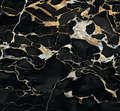
The Marble Fusion Stand in Nero Marquina sets an accent: deep black marble with white veining against black aluminium. It suits desks where the stand is allowed to catch the eye. If you are looking for a MacBook stand in marble, this is the one.
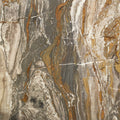
The Slate Fusion Stand in Black Rock is the quieter counterpart. The slate stays natural, matte and finely layered, and absorbs light rather than reflecting it. On a desk where you want to focus, it steps back while still giving texture.
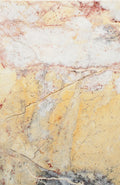
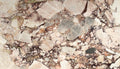
A simple rule of thumb: if your desk is light and fairly empty, go for marble. If a lot of tech is in view, slate brings more calm. Both are one of a kind. The photos show an example, and the grain of your piece will be different.
Vision Pro Stand: display and charging station in one
Vision Pro is not something for a drawer. The Vision Pro Stand puts it on a base of polished Nero Marquina marble, carried by aluminium that is 5-axis CNC milled and finished in high-gloss chrome. Here, charging is built in: two wireless charging pads sit beneath the marble, and there are two USB-A ports. The stand charges up to four devices at once, and integrated cable management keeps the desk clear.
The Marble Base for HomeView
The Marble Base in Nero Marquina is a round disc of solid marble: Ø 84 mm, 18 mm high and about 260 g. A fine recess on top takes the foot of Apple HomeView (tabletop version), so it stands calm and centred, and the two look as if cast in one piece. When your HomeView stands elsewhere, the base becomes a small tray for keys, rings or AirPods. HomeView is not included. The Marble Base is on pre-order, and the ship date is shown next to the price.
A matching set: stand and MacBook skin in stone
A minimalist setup feels most coherent when a few materials repeat. The MacBook Slate Skin in Black Rock turns the lid of your MacBook into a surface of genuine slate, 1 mm thin. Stand that MacBook in the Slate Fusion Stand and the same matte, layered surface appears on the device and on the stand. The silhouette stays the same, the skin protects the lid from scratches and comes off without leaving a trace. Lay it on dry once before you apply it.
Prefer contrast? Pair the slate skin with the marble stand: matte against polished, both in black. You will find every stand in our stands collection. Each piece comes with a Stone Passport, with its own number, the origin of the stone and 12 months of breakage cover from delivery.