



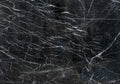



An iPad Pro skin or iPad Air skin covers the back of your tablet – the side your hands are on all day. Most skins are printed vinyl. Ours is a veneer of genuine Black Rock slate, split wafer-thin and set on a flexible carrier layer. This guide covers which iPad models the skin fits, how to find yours, how to apply it, and how it works with a keyboard or case.
What a slate iPad skin is – and what it is not
A skin is not a case. It lies directly on the aluminium back of your iPad and adds barely any weight. The iPad keeps its slim shape, and the camera and ports stay clear because the skin is cut around them.
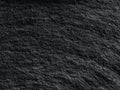
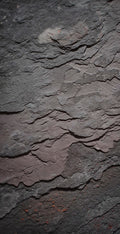
What you get: a matte, finely layered surface with a texture you can feel. Slate gives the iPad a grip that smooth metal never has, which helps when you hold it in one hand to read or sketch. The skin also protects the aluminium back from scratches.
What you do not get: drop protection for the whole device. The skin covers the back, not the edges or the screen. If protection against falls is your main concern, a skin on its own is not the right tool.
Real stone instead of vinyl with a stone print
Most iPad skins that look like marble or slate are vinyl film with a photo printed on it. Every copy is identical, and under your fingers it feels like plastic. A real slate iPad skin is the stone itself: the veneer is 0.8–1.2 mm thin and sits on a flexible carrier, so it lies flat on the back without behaving like a brittle tile.
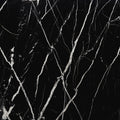
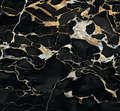
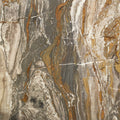
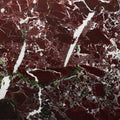
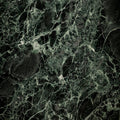
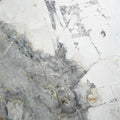
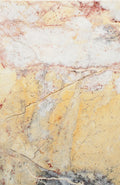
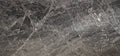
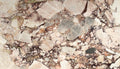
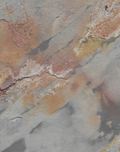
- One of a kind: the photos show an example. The grain and colour flow of your veneer will be different.
- Stone Passport: every skin comes with a Stone Passport with its own number, the origin of the stone and 12 months of breakage cover from delivery, in addition to the statutory warranty.
- Made by hand in Germany.
Which iPad models does the skin fit?
Each skin is cut to the back of one specific model, so you choose your model when you order the Slate Skin Black Rock for iPad. It is currently available for:
- iPad Pro 13" and 11": M5, M4
- iPad Pro 12.9" and 11": 2022, 2021
- iPad Air 13" and 11": M4, M3, M2
- iPad Air: 5th and 4th generation
- iPad: 11th, 10th and 9th generation
- iPad mini: 8, 7, 6 and 5
The product page always shows the full, current list. Models with similar names often differ in size and camera position, so pick the exact entry that matches your device.
How to find your iPad model
- Open Settings › General › About. The model name of your iPad is shown there.
- Or use our Device Finder: select your device once and the shop shows you what fits it.
How to apply your iPad skin
You need no tools, just a clean table and a few calm minutes.
- 1. Clean the back: switch off the iPad, take off any case and wipe the back with a soft cloth until it is free of dust, grease and fingerprints. Let it dry completely.
- 2. Lay it on dry first: place the skin on the back with the backing still attached. Line up the camera cut-out and the edges, and note where it should sit.
- 3. Peel off the backing: remove the protective film without touching the adhesive side with your fingers.
- 4. Start at the camera: set the cut-out around the camera first, then lower the skin slowly towards the opposite edge.
- 5. Press it down: smooth it from the centre outwards with flat hands, then press along the edges.
Skin or folio case – and what about a keyboard?
A folio case wraps around the iPad, covers the screen when closed and often doubles as a stand. It protects more of the device, but it also adds thickness and hides the back. A skin does the opposite: the iPad stays slim, and the back becomes the part you see and touch.
You can combine the two. A few points are worth considering:
- Keyboards and folios that cover the back hide the stone while they are attached. Many people use the keyboard at the desk and take the iPad out to read or sketch – that is when the slate comes into its own.
- Snug cases leave little room. The skin adds a thin layer, so a tight case may sit differently afterwards. Try it before you combine the two for good – we cannot test every keyboard and case on the market.
- Accessories with contacts on the back: if your keyboard connects through contacts on the back of the iPad, ask us before ordering whether they stay clear on the skin for your model.
A matching set: iPad, MacBook and Fusion Stand in Black Rock
Black Rock is also available for the MacBook. The Slate Skin Black Rock for MacBook covers the lid with the same matte slate, about 1 mm thin. It holds with a special adhesive and comes off without leaving a trace.
On the desk, the Slate Fusion Stand Black Rock holds your MacBook, iPad and a third device upright between two elements of Black Rock slate. The frame is black anodised aluminium, every slot has silicone padding, and the stand is modular, with sliding walls and a tray for small items. Two skins and a stand in the same stone make your devices look like they belong together, whether they are in use or parked for the night.
You will find every piece for laptop and tablet in the MacBook & iPad collection.
Care and ordering
Wipe the skin with a soft, dry or slightly damp cloth and avoid harsh cleaners. Orders usually leave within 1–3 working days, and the statutory 14-day right of withdrawal applies.